
Record videos, take snapshots with ease!
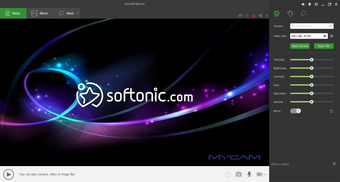
MyCam is a useful and simple standalone laptop camera app for Windows. It allows you to record videos and take snapshots with your device’s webcam. Regardless of the webcam model you use, the program is compatible with every Windows-based laptop or desktop. Since this tool doesn’t require installation or setup, you can start working with it instantly. The moment you download MyCam, it integrates with the laptop’s webcam app to give you the functionality of capturing the screen. An easy-to-use camera software for PC, MyCam only requires you to run the EXE file to connect with the camera.
Top Recommended Alternative

No installation, easy to use, quick setup!
MyCam is one of the most popular webcam capture programs in the world. Developed by a China-based company, e2eSoft, the tool allows you to record videos and take snapshots with your laptop’s webcam. Since this laptop camera software grabs the screen directly from the source of a Windows-based camera device, it doesn’t matter which webcam you use.
The popular utility tool is a freeware camera app for laptops. Since you don’t need to install any third-party program, it’s portable and integrates with your system instantly. Simply run the executable file to start using MyCam. While this camera software for laptop is easy to use, it lacks configuration options, which can be a deterrent for people looking to convert images and videos in different formats.
Plenty of interesting features
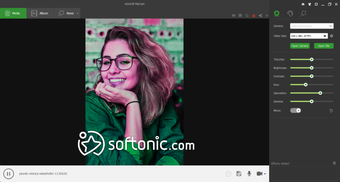
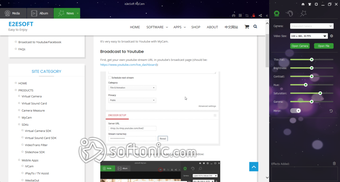
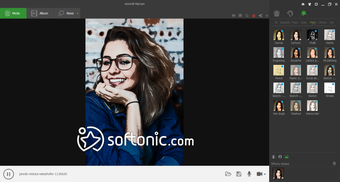
Though MyCam is primarily used for capturing images and videos, it comes with a wide range of interesting features. For instance, you can use the program to record GIFs and videos with sound effects and filters. Additionally, you can scan QR codes to browse several things on the internet. There’s also the possibility of live media streaming, which comes in handy for gamers.
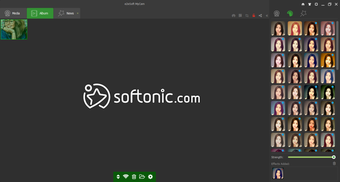
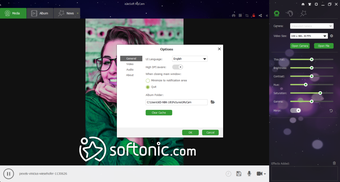
With its album creation feature, MyCam lets you effectively manage pictures and videos in a directory. Apart from capturing new images and videos, the program allows you to open previously recorded files and make relevant changes easily. Most importantly, while using MyCam, you can send the videos and images to your mobile device for better sharing and easy accessibility.
Unlike most popular screen capture programs like Camtasia Studio, this one is free. However, the watermark on videos and pictures could be annoying. If you want to get rid of the watermark, the program comes with paid access. With MyCam, you can conveniently record videos and images with your webcam, while easily managing them in available formats.
Limited formats for images
A downside to easy usage and no installation is the lack of configuration settings. While most people aren’t troubled by the limited number of formats, you can only choose between BMP and JPG for camera snapshots, and AVI and MPEG for recording videos. However, you can still set frame rate and video quality.
If you’re looking for a simple program to capture your device’s screen, take photos, and record videos with a webcam, MyCam will be an excellent choice. Since it doesn’t require any installation, it’s a lightweight program that doesn’t cause lags or crashes. While using this program, you’ll be able to take images and record videos from the moment you download and run the executable file.
Where can you run MyCam?
MyCam download has been licensed as freeware for both 32-bit and 64-bit Windows operating systems. You can use this program on a laptop or desktop without any restrictions. The development team keeps updating the version of the program, and provides you with the required support via email. While the program runs best on Windows 10, it doesn’t cause any issues with Windows 7 or 8.
A great tool for capturing your screen!
Among popular multimedia tools available for Windows, MyCam is the easiest to run and use. Since this web camera software doesn’t require installation, you don’t have to worry about the download hurting your system resources. The program is perfect for anyone looking to take snapshots, record videos, live stream, or manage image and video files seamlessly.
While it’s a free webcam software, it comes with plenty of interesting features to deserve a try. With regular updates, the development team keeps adding new and interesting features. Using the latest release of this PC camera app, you can take pictures, record videos, open and play video/image files, record videos with sound effects, leverage GPU image processing, use image filters, scan QR codes, broadcast videos, manage albums, and send media to your mobile device.